
Whitepapers
The latest capabilities of the Diagnostic OS


Browse all

What Is HIPAA Security? (The HIPAA Law)
We analyze what this HIPAA law entails, which ensures the protection of medical data and information. We will look at how it adapts to current needs when sharing confidential information through digital channels.
The digital era increasingly envelops the world. An important element of this new reality is the security of the information sent across different networks. This becomes even more important when it comes to confidential content, which must remain exclusively in the hands of experts, as is the case with patient information.
This information is governed by the provisions of the HIPAA law. When a PACS system is implemented to manage and store clinical images, one of the goals is for these studies to be transmitted through communication networks to various operational areas of a healthcare facility, through intrahospital networks, with other physicians, and with patients themselves.1 An important point in this exchange of information is that it be done securely.
How Do PACS Systems Guarantee Security?
In pursuit of this security, PACS systems for medical images commonly work with two network systems that make it possible for these studies to be handled with privacy, integrity, and authenticity. The first system corresponds to the connections shared with the hospital's Central Network Authority (CNA), which has its own regulations, maintenance, and management.2
The second system is the PACS network itself, in which cables and terminals are also safeguarded in hubs that support information security. Only authorized personnel working with these systems and medical specialists can access the medical images backed up by the software, ensuring control over the use and exchange of information.2
But who oversees compliance with the proper management of medical images?
Preventing the leakage and manipulation of information can be complex, and this is why HIPAA, the Health Insurance Portability and Accountability Act, was created in the United States. This law seeks to protect and secure patients' healthcare information so that it can be disclosed to interested parties, by enforcing a series of requirements on healthcare facilities.2
Now, the DICOM standard used for medical images across different modalities also establishes security criteria for information exchange policies.2
For all these reasons, when choosing a PACS system, make sure it complies with HIPAA.
What Requirements Does HIPAA Specify?
Some of the most important requirements established by this law for the secure communication of medical information are:
- All patients undergoing medical studies have the right to see their results and obtain a copy of them. The medical history must also be made available to assess the progression of a condition.3
- Professionals with legal certification can access patients' medical information for the purpose of making diagnoses and decisions regarding them.3
- Every healthcare professional working at a facility in this sector must know the institution's policies for ensuring the confidentiality of its patients.3
- Commercializing patient information is a crime carrying significant legal penalties (criminal and civil)4 and is prohibited. This information may only be shared with the healthcare facility's internal staff3 in order to respond to the patient.
It is worth noting that in certain cases, disclosure of information may be required without the patient's authorization, for example in the case of a contagious condition, incidents of violence or abuse, when organ donations are required, or when the law warrants it.4
How Can a Healthcare Facility Comply with HIPAA?
HIPAA's main requirements are quite precise, but they do not impose a single way of guaranteeing the confidentiality of patients' data and studies. What matters is that each healthcare facility create standards that protect this information, including clinical images, so that they are not altered or disclosed to unauthorized individuals.4
To achieve the above, it is essential that every medical facility use systems sufficiently protected against cyberattacks or the misuse of electronic data (even through carelessness) that could leak confidential information.
This is why quality PACS systems comply with these HIPAA guidelines.
Does Eden PACS Comply with HIPAA?
Among the benefits of Eva PACS for the management, transmission, and cloud storage of radiological images is the full guarantee of electronic security protocols and confidential data protection.
Eden PACS complies with the electronic requirements of the HIPAA law. As an added value, patients will also be able to securely access their studies through digital channels. Finally, only authorized personnel will have access to patient information within the Eva system.
References
1 Centro Nacional de Excelencia Tecnológica en Salud (National Center for Technological Excellence in Health) (2009). Systems for image archiving and communication. Mexico, Secretaría de Salud (Ministry of Health).
2 Huang, H. K. (2004). PACS AND IMAGING INFORMATICS BASIC PRINCIPLES AND APPLICATIONS. University of California, Los Angeles. P.: 691
3 Merck Manual. Confidentiality and HIPAA (Health Insurance Portability and Accountability Act in the United States). Retrieved from https://www.merckmanuals.com/es-us/hogar/fundamentos/asuntos-legales-y-%C3%A9ticos/la-confidencialidad-y-la-hipaa-ley-de-portabilidad-y-responsabilidad-de-seguros-de-salud-en-estados-unidos 4 Centers for Disease Control and Prevention. Health Insurance Portability and Accountability Act of 1996 (HIPAA). Retrieved from https://www.cdc.gov/phlp/publications/topic/hipaa.html

What Is a PACS Workstation Used For?
PACS workstations have gradually become indispensable equipment for radiology and imaging departments.
PACS (picture archiving and communication system) emerged as an effective technological response to the difficulty of managing the growing volume of information from clinical imaging studies.
As the name indicates, the main advantage of these systems lies in their image storage and communication functions. PACS enables better management of medical information and, consequently, significantly improves the productivity of the medical institution.
In this sense, the main objectives of any PACS system are: the capture, transmission, and storage of medical images. But none of this is possible without a PACS workstation (also known as a PACS Workstation), which plays a fundamental role in the entire system. Let's take a closer look at what it involves.
How a PACS Workstation Works
A PACS workstation gives the user complete management of the database, since it provides the platform with the ability to import studies, copy information onto any compatible portable storage device, and send and receive studies from other PACS systems, manage study information, among many other functions.
The main advantages of a PACS workstation are:
- Independence. It is independent of the main console, which allows for an uninterrupted flow of patient care.
- Reprocessing. It allows reprocessing of raw DICOM data, acquired through various modalities, providing access to advanced image processing functions and options.
- Remote operation. It allows diagnosis and interpretation of acquired images remotely.
Regardless of the image acquisition method, images will be available on the server in DICOM format, from which they can be printed or evaluated in the diagnostic viewer or on the unit's workstation.
Through the network, it is also possible to store them and send them to other facilities, as well as view them online.
What a PACS Workstation Should Offer
A good PACS system offers various advantages that should be considered when choosing a system. Some of these are:
- Compatibility with all diagnostic modalities and imaging studies: X-ray, MRI, CT, ultrasound, mammography, angiography, and fluoroscopy, among others.
- Intuitive software with tools that facilitate diagnosis.
- Security. Data is stored locally on a highly reliable and secure server, backed up automatically via hard drives.
Ideally, one should also have cloud storage for greater security, and also as a way to recover data in the event of any accident or mechanical failure that may occur.
- Management options. Regarding permissions and access control to information, these are fully manageable for all users, and a complete log of all activity in the PACS system is also provided.
Reporting Tools
Additionally, the PACS workstation provides access to an integrated reporting tool that allows reports to be written, or even dictated, directly and securely into the PACS system.
This undoubtedly streamlines working time, since the report is automatically completed with the information from the selected study.
The option to report on the go is also available, thanks to tools such as speech-to-text software.
Universal Web Viewer
Another element of the PACS workstation is the built-in DICOM viewer, which guarantees access at any time and from any place to medical images and reports, from any browser or operating system.
Whether from the comfort of home, through a laptop or tablet, it is possible to access the required studies or reports.
In this way, physicians and system users can access images from any PACS workstation, thus expanding its reach and accessibility. This also makes teleradiology possible.
It offers the user advanced visualization tools, as well as annotations and measurements.
An Eva PACS representative can give you a free demonstration so you can discover a practical, simple, and effective solution for optimizing workflows and increasing productivity.
References

What Is Cloud Storage for a PACS System and How Does It Work?
We present a revolutionary option for storing your medical images and reports securely and without limits in the cloud through PACS systems.
Cloud storage is a computing service that allows data to be stored and processed through a network of interconnected servers.
In this sense, cloud storage is a type of storage that provides external safekeeping of data. This system is maintained by a third party, generally on physical servers that may be located in one or several places.
This means information can be stored without risk of loss in a remote database, which can be accessed at any time and from anywhere, provided there is an internet connection. The cloud replaces hard drives and other types of external storage, which carry risks such as data loss, as well as taking up physical storage space.
Cloud Storage for PACS Systems
PACS is an image storage and distribution system that electronically safeguards the images and reports of radiological studies.
When these systems first came into use, PACS storage was typically divided into two types: online and historical.
- Online. This is short-term storage that holds the information for studies already performed. These images are usually available on the device for immediate use for periods of up to 15 days. After this time, the information moves to historical storage.
- Historical. This is long-term storage that lasts approximately thousands of days. Generally, a period of several hours is needed to retrieve the files one wishes to consult.
Nowadays we can talk about cloud storage for a PACS system, which basically means that the information is hosted on cloud-based servers. In other words, the storage PACS provider takes care of saving and storing the data.
Basically, all that is needed is an internet connection, and some providers may also offer a local server. A PACS system user will send copies to the server from a computer subscribed to the service, where the information is registered and can later be accessed.
In this way, cloud storage for a PACS system can be compared to some well-known services, such as Dropbox or Google Drive. The difference is that PACS systems offer a service specialized in the storage and management of medical images.
Security of Cloud Storage in a PACS System
The information stored in a PACS system's cloud storage is 100% reliable and secure. A good PACS system complies with certain cybersecurity standards, as well as patient data protection standards (such as the HIPAA regulation).
A combination of techniques is used to protect the data, including:
- Encryption. This consists of a series of algorithms used to effectively encode the information.
- Authentication processes. The system user is required to create an account protected by a password.
- Authorization. The PACS system allows the administrator to list the people who will be authorized to access the information stored in the cloud.
Advantages of Cloud Storage for a PACS System
These are some of the benefits worth pointing out about using cloud storage for a PACS system:
- More storage. Due to their resolution and the use of advanced equipment, medical images are quite large, but this is no longer a problem since storage is unlimited (depending on each PACS provider's capabilities).
- Easy access to images. Medical images can be viewed more quickly and easily. Radiologists can interpret studies from inside or outside the hospital or clinic, as long as they have an internet connection.
- Low cost. Cloud storage represents savings compared to other storage methods, such as the traditional archive of radiological film.
The cloud storage of a PACS system is an excellent solution when managing a large volume of files and data. Simply consider that in the event of physical damage or the loss of hard drives or computer equipment, it is not possible to recover the information. Cloud storage, on the other hand, keeps the information secure, since it allows the system to be hosted off-site, with experts safeguarding the information.
References
- How Cloud Storage Works. How Stuff Works.
- Systems for image archiving and communication (PACS). CENETEC, SALUD (Mexico's Ministry of Health). November 2009. Mexico.
- Benefits of cloud computing for PACS and archiving. Koch P. Benefits of cloud computing for PACS and archiving. Radiol Manage. 2012 Mar-Apr;34(2):16-9; quiz 21-2. PMID: 22514969 .

Case Study: Savings with PACS Systems in a Hospital
We present a case study conducted at a hospital whose objective was to determine the differential cost between film-based radiography and a PACS system.
There are numerous benefits to implementing a PACS system in any medical facility, regardless of its size. With the aim of analyzing the monetary benefits in terms of savings and investment in a real-world setting, the National Institutes of Health of the United States (NIH) conducted an eight-year study at a hospital. The hospital wanted to stop using physical film and take advantage of the various benefits of PACS systems.
Once the PACS system was rapidly installed throughout the hospital, film and digital files were converted in a single step. This demonstrated that implementing PACS systems hospital-wide all at once can represent significant cost savings.
This case study attempted to build a model for the large-scale financial evaluation of PACS throughout the hospital, to help formulate implementation strategies. It was concluded that implementing a PACS system represents at least 63% in savings for the radiology department.
Case Study Details
The study was conducted at a government-owned hospital, with 482 beds and 100 physicians available. By 2002, the radiology department had performed 150,000 imaging studies, with a 10% annual increase in the use of this service between 1997 and 2002.
By mid-2003, this hospital implemented a PACS system in the period from January to March 2004, by which time the following had already been purchased:
- Four conventional X-ray machines.
- One DICOM-compatible ultrasound unit.
- One CT unit.
- One MRI unit.
In addition, an older CT unit was already converting images into DICOM format through a gateway. As part of the PACS, additional imaging modalities were also purchased, including three high-capacity computed radiography (CR) processors.
The PACS was fully integrated with a hospital information system (HIS) through a radiology information system (RIS). The order information generated by the HIS was converted into a worklist for the DICOM-compatible machines. The modality performed procedure step allows study completion information to feed back into the HIS system.
It was essential to have the support of all hospital medical staff for the process to run smoothly, so everyone had to be trained in its use through an earlier mini-PACS version, allowing them to become familiar with it and ensure the study's ultimate success.
It was decided to migrate the entire physical-film-based operation to digital images in order to avoid the operating costs of dual systems and reduce the cost of laser film, which is more expensive than conventional film.
After installation and training on PACS, the hospital achieved its goal of a 100% reduction in radiographic film in just 2 weeks. However, film use was maintained in the mammography and remote fluoroscopy units.
The change occurred by area, starting with outpatient care, since that was where radiographic film was used least frequently; it then continued with the emergency room and later with the care units.
Metrics Analyzed in the Study
Some of the assumptions on which this research was based, together with specialists in the field, were:
- An eight-year time horizon was used.
- A discount rate of 3% was assumed.
- If the PACS system had not been installed, the hospital would have had to purchase three film processors in years 0, 4, and 8.
- The PACS short-term storage holds one year of recent images, and long-term images are stored on a redundant array of independent disks (RAID), purchased annually according to the volume of image files.
- The annual maintenance cost of PACS was calculated at 5% of the initial purchase cost.
- The hardware of the PACS workstations used by physicians and radiologists can last four years and will be replaced in the fifth year.
- The costs of software updates for PACS are included in the maintenance cost.
To carry out this differential cost analysis, the following was taken into account:
- PACS cost model. This took into account everything from maintenance and the replacement of computed radiography cassettes to storage. By the end of the study, an increase in costs was observed toward the fifth year, when the workstation-related hardware had to be replaced, though this was a cost that had already been estimated.
- Film-based cost model. This includes the cost of purchasing and maintaining film processors; the cost of film, chemicals, film sleeves, conventional film cassettes, and film disposal; as well as the salaries of film library staff. Here it could be observed that costs rose by approximately 58% as the number of radiological studies increased.
- Net present value (NPV). The initial capital for installing the PACS system was USD $699,497, and by the eighth year, the NPV was USD $1,598,698.
Study Conclusions
The cost of operating with physical film and related costs, such as chemicals, storage sleeves, and label printing, represented 58% of total costs, followed by 22% for film processing and related costs, and 20% for archive staff salaries, with an NPV (net present value) of USD $2,083,856.
With this differential cost analysis, it was determined that the net present value for the PACS system was USD $1,598,698, while the NPV for the film-based system was USD $2,083,856, indicating a net savings of USD $485,157; thus establishing a net savings for PACS operation.
In conclusion, installing a PACS system that is well designed, well planned, and implemented with the guidance of experts within a hospital complex benefits both cost levels and other areas, for example, by reducing patient wait times, improving the management of critical patients, reducing the unavailability of images, increasing the productivity of devices and technologists, enabling online phone consultations, saving time for radiologists, and reducing staffing needs.
On the other hand, the emergency and intensive care units accelerated patient treatment by saving time on film transport. Clinics also saw reduced patient wait times, since studies could be interpreted immediately.
After implementing the PACS system, in just three years the use of radiology services increased by 82% among inpatients and 38% in outpatient consultations. An additional considerable increase in the number of studies was projected from the eighth year onward, along with further savings from no longer printing film. From a more conservative standpoint, savings of 63% are expected in radiological operations.
Reference: Ying-Cheng Fan et al. “Financial Assessment of a Picture Archiving and Communication System Implemented all at Once”. US National Institutes of Health. J Digit Imaging. 2006 Dec; 19(Suppl 1): 44–51.

The Patient's Right to Keep Their Medical Record
Discover more about a basic right we have as patients: access to our information and medical records. All of this is legally regulated in Mexico by NOM-168.
Numerous efforts have been made today to protect and guarantee people's rights when using healthcare services. We might think our rights are limited to receiving quality care, but there are actually other priority aspects we should be aware of.
Patients' Rights
One of these is the right to privacy and the protection of our personal data. Healthcare institutions are obligated to protect our information, and to ensure that it is not accessed by private individuals or other institutions with no legitimate claim to it.
Secondly, we have the right to receive a copy of all the information a healthcare institution holds about us, to verify the purpose for which it was collected, and, if necessary, to have it corrected or updated.
Legal Protection for Patients in Mexico
Furthermore, in Mexico the Federal Law on Transparency and Access to Public Information establishes that individuals have the full right to access their medical records.
However, Norma Oficial Mexicana 168-SSA1-1998 del Expediente Clínico (Mexican Official Standard on Clinical Records), better known as NOM-168 (Diario Oficial de la Federación, September 30, 1999), establishes that clinical records are the “property” of the institution providing the healthcare service, allowing only for the possibility that the patient may obtain a “summary” of the clinical data.
The patient's right of access to the documentation on their clinical history will have as its limit the right of third parties to privacy and to the confidentiality of the data contained in clinical records.
Can a Clinical Record Be Deleted?
Taking the above definitions into consideration, we might ask whether it is possible to delete our clinical history from a particular institution.
The answer is that, with regard to data protection, there is a right to erasure of information and personal data at the data subject's discretion.
But in the healthcare field, this right to erasure is more limited. Strictly speaking, healthcare personnel may decide on the deletion of health information, since the content of the clinical record is used, besides for the proper provision of care to the patient, for judicial, epidemiological, public health, research and/or teaching purposes, which are linked to the public interest or compliance with legal obligations.
Possibility of Access to the Clinical Record of a Deceased Person
In the event that we need clinical information about a deceased person, only the following is taken into strict consideration: access to the clinical history of deceased patients will be granted to persons connected to them, whether for family reasons or in fact, unless the deceased had expressly prohibited it and this can be proven.
Information that affects the privacy of the deceased will not be disclosed, nor will the professionals' subjective notes, nor information that would harm third parties.
Can Anyone Access the Information in a Clinical Record?
A quick answer is: no. In the case of healthcare professionals, they may only access a clinical record when doing so is warranted and considered necessary to carry out their work.
However, they may not access medical records out of mere curiosity, or to pass on a patient's information to an acquaintance. This type of conduct may be subject to legal sanctions.
Acts that are not only classified as violations of data protection regulations also appear in the Penal Code itself as the crime of disclosure and discovery of confidential data, in cases where a healthcare professional unlawfully accesses a patient's health data.
The clinical record is used solely for the purpose of ensuring appropriate care for the patient, and therefore the facility's healthcare professionals will have access to it as an essential tool for their work.
As for the administrative and management staff of healthcare facilities, they may only access the clinical record data related to their own duties, while committing at all times to uphold the duty of confidentiality and complete secrecy.
The proper handling of information and the clinical record of each patient require respecting each person's privacy, in the form of the confidential nature of all data concerning their health. All of this is protected within the framework of the law.
This is why healthcare facilities must have protocols in place to ensure that access to such information is carried out in a strictly legal and professional manner.
References
- Legal regulation of clinical data in Mexico. Medigraphic.
- Access to the clinical record. Archivos Judiciales. UNAM.
- Right of access to the patient's clinical record. Law Trends.

Guide to Managing Radiology Services
Radiology has become the most powerful tool available to physicians for making accurate diagnoses. Although patients can describe their symptoms, nothing is more precise than evaluating the internal structure of the body to detect anomalies and thus indicate more precise treatments. This is why hospitals strive to provide this service, though doing so requires a management guide.
The above is attributable to the fact that running an imaging department is not simple. There are several reasons for this, such as:
- High demand for studies
- Storage system
- X-ray room installation requirements
- Information confidentiality system
In other words, this work does not consist solely of the equipment that captures the images and the operators who run it. There is an entire management process behind satisfying patients, involving short wait times, sending digital studies to physicians and stakeholders, secure storage, and so on.
Hospital Administration in Radiology
Proper hospital administration is the key to good radiology management. This encompasses both the activities that occur while the patient is in the waiting room and those taking place in every space where the different modalities are performed, such as CT scans, mammograms, ultrasounds, MRIs, among others.
- Waiting time before the study. The idea is for the patient to arrive at the radiology department and be attended to as soon as possible. The wait should only cover the time it takes the receptionist to record the patient's details, bill the study, retrieve prior history (if applicable), and direct the patient on where to go next.
- Study time. The information gathered from the patient in the previous step should go directly to the technologist who will perform the study, to avoid delays once the patient enters the room. This way, the operator can quickly instruct the patient on what to do for image capture.
- Processing time. Once the study is complete, either the technologist or a staff member sends the study to the specialist. With a tool such as a PACS system, this is fairly quick, since it works with standard formats and efficient communication channels.
- Delivery of results. Depending on the hospital's procedures, the patient may receive the study by email. The use of physical film has become a thing of the past.
- Storage. Once the images are processed, the next step is fast, short-term storage for a maximum period of 15 days. After that, the study can move to the archive, which in digital form means the servers.
Functions of a Radiologist in a Hospital
For radiology department management to be optimal, it is important that radiologists have clearly defined roles. In addition to capturing images alongside the operator, the radiologist is responsible for:
- Receiving the patient and providing safety guidelines, such as the use of lead aprons where applicable.
- Validating the studies to be performed and considering the use of contrast agents previously indicated by the specialist.
- Operating the equipment with expertise, and requesting training whenever deemed necessary.
- Ensuring the equipment functions correctly, and promptly notifying supervisors in the event of a malfunction.
- Informing the specialist physicians, even before sending the images, if a significant anomaly is observed.
Therefore, if the healthcare facility has tools such as PACS (Picture Archiving and Communication System), the radiologist and all staff involved in the studies must know how to use the platform. This ongoing training is key when adopting technological improvements, which is why Eva PACS provides continuous technical support to its clients at all times.

The Importance of the ISO 9001 Standard in the Healthcare Industry
In the digital age, the healthcare sector faces growing pressure to cut costs and increase efficiency. To achieve this, organizations seek a certification that demonstrates their ability to reliably and consistently deliver products and services. They have recognized that compliance with these standards also brings benefits beyond helping them meet objectives and pursue savings opportunities. Implementing a quality management system not only helps them meet these standards, but also gives them insight into how they can improve and eliminate any bottlenecks or inefficiencies in their operations.
With so many certification options available, it is important to choose the right one for your organization's needs and resources. One of the most widely adopted certifications is ISO 9001, which refers to standard number 9001 of the International Organization for Standardization (or "quality"). Let's take a closer look at why this certification is so beneficial if you work in the healthcare sector
What is ISO 9001?
ISO 9001 is the most widely adopted international standard for quality management systems and business management. The standard is divided into a series of clauses, each with a specific purpose, description and method of application. There are currently five recognized versions of the standard. The most recent version was published in 2018. Why does it matter? Organizations that have implemented a quality management system and are in the process of applying for certification are required to follow the version that was in effect at the time of implementation. The clause below is just one example of how the standard can be applied to the healthcare sector. It serves as a useful starting point for better understanding the overall advantages of this certification, as well as its limitations.
Why is ISO certification beneficial?
Organizations certified under ISO 9001 have demonstrated that they have the organizational structure, resources and management systems needed to deliver products and services consistently and in line with customer expectations. Obtaining this certification sends the message to current and prospective customers that your organization takes quality seriously and has the right tools to identify potential risks and issues, and to correct them before they become actual problems. ISO certification also provides benefits beyond customer satisfaction. By implementing a certified quality management system, organizations can benefit from greater efficiency and reduced waste, as well as increased employee engagement and a better work environment.
What does ISO 9001 certification mean for the healthcare sector?
Organizations in the healthcare sector are required to comply with many different standards, including environmental and safety standards. ISO 9001 certification means that an organization has implemented a certified quality management system and has been audited to ensure it complies with that standard. Organizations that meet the requirements of ISO 9001 certification must implement a documented quality management system that is periodically evaluated and verified by an independent third party. The certification is valid for a period of three years. Organizations must renew their certification by undergoing a reassessment process every three years.
Limitations of the ISO 9001 standard
ISO 9001 certification does not take into account the specific needs of different sectors, such as the healthcare industry. While it helps organizations establish best practices and eliminate inefficiencies, it also requires a significant investment of time and resources. In addition, it does not provide insight into the processes that initiate customer orders or the overall customer experience. Organizations that implement ISO 9001 certification must also be willing to make changes when necessary. The certification process is periodically audited by an independent third party, and organizations must be willing to make whatever changes are needed to meet certification requirements.
Key Takeaway
ISO 9001 certification is a widely accepted standard that helps organizations maintain consistency and achieve customer satisfaction through quality products and services. While it is beneficial for a wide range of sectors, including healthcare, it requires a significant investment and does not take into account the specific needs of the healthcare sector.

Introduction to Radiology Administration
Radiology is one of the most in-demand areas in healthcare centers, as it is the most reliable way for doctors to make diagnoses. However, working with these services requires proper administration in order to capture, store and send images to the interested parties in the shortest possible time, and thus also optimize the use of the department's equipment.
This kind of administration requires the basic elements of planning, direction, organization and control of each of the activities carried out in the radiology studies department. This also involves managing:
- Patient appointments
- Medical records
- Billing
- Equipment monitoring
- Staff performance
Indeed, the goal is for the workflow to be effective so that patients invest only the necessary time and the workday is used to its fullest. The above translates into an exponential increase in the productivity of the radiology lab.
Radiology service project
When starting a radiology service project, there are some basic elements to consider, such as the modalities to be developed, the imaging capture equipment to be acquired and the technicians who operate them. However, there are important technologies that have become key pieces of this department, such as PACS systems.
Let's take a closer look at these elements:
- Modalities to be developed. Depending on the specialists working at the healthcare center, it is advisable to have the modalities that support the respective diagnoses. The most common types of studies are: X-rays, ultrasound, mammography, magnetic resonance imaging, computed tomography and fluoroscopy.
- Equipment. Depending on the modality, there is a variety of equipment on the market for correctly capturing the images in question. However, an essential requirement is that they be compatible with PACS systems.
- Staff. The idea is for them to be healthcare professionals with a broad outlook on the use of modern tools and techniques, which allows them to easily adapt to the changes that technology in this sector constantly brings.
- Technologies. PACS systems are likewise key to a radiology service project, since they save time and securely store patient studies. They integrate radiology information systems (RIS) and hospital information systems (HIS) to manage information within seconds, without the need for manual activities that only lead to errors.
Financial administration of healthcare organizations
As mentioned, the use of technological tools is essential for healthcare organizations in today's world. The reason is that, in the medium term, they provide significant economic growth.
In the case of PACS, its advantages are:
- Interhospital connection. Almost immediately, the specialist physician can obtain the imaging study of their patient digitally. This allows for a clearer view for making diagnoses.
- Sending studies to patients. Some platforms, such as Eva PACS, allow studies to be sent to patients via instant messaging or email. This way, people can consult with other doctors or keep a backup of their medical studies.
- Standardized formats. PACS systems mostly work with standard formats, such as DICOM and HL7. This way, both doctors and patients can view the images on computers without compatibility issues.
- Effective storage. Having the center's studies from the last 15 days available within seconds is feasible, as well as older ones. All are securely sent to servers in accordance with HIPAA law.
Undoubtedly, good financial administration of healthcare organizations recognizes that the use of technology drives the growth of these centers. This is because it immediately streamlines activities and therefore increases business productivity.

Effectiveness and Efficiency in Health: 3 Ways to Increase Them
Do you feel like you are constantly working at full capacity with no time to take care of yourself? Although long hours and a heavy workload are to be expected in your career, the stress and strain that come with these jobs often leave little time for self-care.
If you feel there is no time to focus on your own health, efficiency or effectiveness at work, keep reading to discover three ways to make the most of your time and improve your performance and happiness.
Reducing stress, eating healthily on a regular basis and dedicating time to exercise require personal sacrifice. However, these small sacrifices can provide a great return on investment. Let's look at how you can increase your health efficiency and effectiveness so you can get more done in less time, while also feeling better about yourself along the way.
Make a to-do list and stick to it.
A to-do list is a fundamental part of any effective and successful workday. However, many people don't prioritize creating a to-do list or ignore having one altogether. If you want to increase your health efficiency, you need to create a to-do list that includes everything you need to do each day, week and month, and stick to it. This may mean cutting back on social and leisure activities, but the payoff is worth it. If you make a to-do list and commit to following it, you will be more efficient, more productive and less prone to stress. This means you will have more time to focus on taking care of yourself. A to-do list can help you schedule time for exercise, doctor's appointments, family time, work and everything else you need. It can help you be more efficient and effective at work, since it brings more structure to your day and keeps you on track. It can also help you prioritize your tasks and eliminate the stress of having too much on your mind. #Take small breaks throughout the day Taking breaks throughout the day may seem counterproductive, especially if you are trying to maximize your time. However, breaks are essential for maintaining your health and productivity. When your brain is under stress, it starts producing excessive amounts of the hormone cortisol. You need cortisol to function at your best, but an excess of cortisol wreaks havoc on your body. It contributes to a wide range of health problems, such as weight gain, fatigue, reduced immunity and decreased cognitive function. Taking a break to do something that doesn't strain the brain, such as taking a walk, listening to music or meditating, can help normalize cortisol levels so you feel more energetic and effective when you return to your tasks. You can also take small breaks throughout the workday to avoid the fatigue caused by sitting at a desk all day.
Commit to a small amount of exercise throughout the week.
If you feel stressed and fatigued, exercise can help. It releases endorphins and redirects your body's resources to reduce the amount of cortisol your brain produces. Exercise can also improve your mood, increase your energy levels and help you sleep better. Committing to a small amount of exercise each week can be easier than you think. You can walk or bike to work instead of taking public transportation. You can opt for a standing desk instead of a traditional one and try to include a short exercise session at the end of your workday. You can take your dog for long walks and replace your evening TV show with a short workout video. If you commit to exercising, even in small amounts, you will feel better and more effective at work.
Efficiency and effectiveness are not just buzzwords. They are essential to the workplace. However, these concepts can also apply to your personal life. If you want to improve your health and feel better about yourself, you need to make the most of your time. Now you know how to make the most of your time and improve your health. So, what's on your to-do list for today?

Quality of Patient Care: 3 Ways to Improve It in Hospitals
In hospitals, patient care is often a collaborative effort among team members, which may include nurses, nursing assistants, social workers, dietitians, pharmacists and others. Improving the quality of patient care is not always easy, but there is much you can do to help your team members provide the best possible care to every patient at all times. Here are three ways to improve the quality of patient care in your hospital:
Be transparent about patient care outcomes.
At the heart of any quality improvement initiative is the ability to track and measure performance outcomes. It is essential to know how your patients are doing so you can spot trends. Every hospital has its own set of metrics that indicate the quality of care provided to patients. For example, a hospital might track the percentage of patients who receive timely antibiotic therapy for bacterial infections or the percentage of patients who receive blood transfusions within two hours of administration of a coagulant medication. Transparency about patient care outcomes is essential to fostering a culture of continuous improvement. If team members don't know what the outcomes are, it's hard to know where improvement is needed. Metrics can be displayed on posters throughout the hospital so that all team members can see them. #Train new employees in best practices New employees should be trained in best practices so they can be confident they are providing the best possible care to patients. For example, new employees should be trained on how to properly administer medications, how to handle blood samples, how to correctly take patients' vital signs, how to properly clean and disinfect medical equipment, and the correct way to draw blood. When training new employees, don't limit yourself to the skills they need to do their job. Be sure to also include information about the patients they will be caring for. This will help new employees develop an appreciation for the people they help. Training new employees is one of the most important things you can do to improve the quality of patient care in a hospital. When new employees receive proper training, they can more easily recognize situations in which patients may require additional care.
Create a safe environment for employees to ask questions
Some of the best ideas for improving the quality of patient care come from employees who have been on the front lines of patient care. To be the best possible healthcare organization, the hospital must create a culture in which employees feel comfortable sharing their ideas and asking questions about better ways of doing things. An environment in which employees feel comfortable asking questions is a key factor in improving the quality of patient care. If employees don't feel comfortable asking questions, they may not be able to identify opportunities for improvement. Some hospitals have created programs that allow employees to submit questions anonymously. This is a good way to ensure that everyone can participate in the program. You might also consider creating a "suggestion box" where employees can drop off their questions or suggestions.
Patients often come to the hospital hoping to get better, but they are not always aware of the amount of work involved in providing their care. Improving the quality of patient care can be a challenge, but it is necessary. The more you can do to improve the care provided by your team members, the better your patients will fare. Above all, remember that patient care is about more than simple treatment. It's about delivering an experience that makes patients feel comfortable and valued. When you achieve that, your patients are likely to come away from the experience with a positive outlook and a better view of life.

Hospital Administration: Strategies to Improve Clinical Workflow
Hospitals are complex, fast-paced environments in which staff members often juggle multiple tasks at once. Maintaining workflow can be a challenge, especially when new initiatives or processes are introduced.
Fortunately, there are a number of proven strategies that can improve your hospital's workflow so that staff members spend less time on administrative tasks and more time on patient care. This article outlines 10 strategies you can use to optimize your hospital's workflow, so that each staff member can focus on what matters most: patient care.
Establish clear roles and responsibilities
Workflow begins with establishing clear roles and responsibilities for each staff member. This includes not only the tasks each employee is responsible for, but also the department and shift in which they work. An advanced workflow system can help you identify bottlenecks or areas of confusion by tracking how many times a task passes between departments. Be sure to keep these roles and responsibilities up to date as staff members come and go and new initiatives are implemented. If you work in a large hospital, you may want to consider creating a workflow map that identifies how tasks move from one department to another. This map can help you identify areas of inefficiency, such as a long path between departments. You can then work with the departments responsible for these tasks to help improve their workflow.
Create a central workflow management system
Workflow management systems (WFMS) are tools that help you track tasks, assign due dates and identify bottlenecks in your workflow. This can be especially useful in hospitals, where staff members often juggle multiple tasks. A centralized WFMS can help you identify and redirect tasks that are falling behind. It can also help you identify and adjust unbalanced workflows, such as a department that is consistently assigned more work than it can complete on time. A centralized WFMS can also help you manage workflow during periods of change, such as when a new initiative is introduced or an employee leaves the organization. The system should allow you to track tasks, deadlines and other project data for these changes, so that the rest of the workflow is not affected.
Automate tasks whenever possible
When designing your workflow, watch for manual tasks that can be automated. This can include tasks such as sending reports to management or scheduling patient appointments. Whenever possible, look for ways to automate tasks so that staff members can focus on the most important aspects of their work. If you work in a small hospital, you may not have the resources needed to automate every task. In that case, consider automating the tasks that have the greatest impact on workflow and are most likely to be overlooked. These may include tasks such as sending reports to management or scheduling patient appointments. It can be helpful to have these tasks managed by software rather than by a person. When a task is automated, there is less room for error and it is more likely to be completed as expected.
Educate staff and patients
Workflow is about more than assigning tasks and deadlines; it also involves managing expectations. Staff members can make fewer mistakes and make better use of their time if they understand the workflow, roles and responsibilities, and expectations for the tasks assigned to them. Patients can also contribute better to workflow if they understand what is expected of them. Healthcare organizations should consider applying a standardized communication approach that helps patients and staff members understand each other. This can help reduce miscommunication and improve overall workflow. Consider developing an educational module for staff members and patients that explains the workflow, how tasks are expected to be completed, and what patients can do to help improve the process. This module can be integrated into existing communication channels, such as the healthcare organization's website or mobile app. Some WFMS software providers also offer communication tools, such as interactive patient education modules, to help improve workflow.
Hold regular workflow sessions with staff members.
As you begin implementing your workflow, hold regular workflow sessions with staff members to help them understand their roles and responsibilities. This can be especially useful when new members join the team or when a new initiative is introduced. Workflow sessions can help reduce errors and improve efficiency. This is especially important when new processes are added to the workflow. A centralized WFMS can help you track these changes and revert the workflow to its original state if something goes wrong. A regular workflow session can be as simple as a meeting in which the team is guided through the workflow and how it affects them is discussed. You can also hold regular workflow sessions with key stakeholders, such as management, to help them understand how your workflow works and when certain tasks can be expected to be completed.
Rotate job roles to increase efficiency
Many hospitals have departments with one or two employees specialized in a single task, such as appointment scheduling or inventory management. To increase efficiency, consider rotating employees through these specialized roles. This can help improve overall workflow performance by drawing on the different strengths of your team members and reducing the effects of burnout. For example, suppose your hospital uses a software-as-a-service (SaaS) tool to schedule appointments. This task typically takes several hours a day, which is more than a single employee can complete in a timely manner. You can rotate staff members through this role, ensuring it is completed each day, but at a manageable pace for each staff member. This can also help reduce errors caused by fatigue, which can occur when employees are regularly given tasks that exceed their capacity.
Provide visibility with real-time reporting
Real-time reporting can help increase visibility throughout the hospital, which can help improve workflow and reduce errors. This can be especially useful in WFMS that can integrate with other software. This can include scheduling software, data management tools, and more. For example, suppose a patient has an appointment scheduled for 2 p.m., but something happens that causes a delay. With real-time reporting, you can identify the patient's appointment in your scheduling software and update the appointment to show the delay. The system can then automatically update the patient's record to reflect the delay, which can help reduce the amount of time doctors and nurses spend manually updating records.
Establish predictable work schedules
It may seem counterintuitive, but establishing predictable work schedules can help improve workflow. This can be especially useful for departments with a heavier workload, such as emergency rooms or nursing staff. A predictable schedule can help ensure tasks are completed on time, minimizing the possibility of errors. For example, suppose the emergency room typically has a heavier workload on Friday nights. You can assign work schedules to account for this increased demand, ensuring tasks are completed on time and reducing the possibility of errors. This can also help you identify areas for improvement, such as an above-average wait time, and make the necessary adjustments.
Employ deterrent tactics for non-essential tasks
This is a controversial strategy, but one that can help reduce time spent on non-essential tasks. Deterrent tactics involve reducing the visibility of non-essential tasks so that staff are less likely to perform them. This can be done in several ways, such as not tracking tasks or metrics related to non-essential tasks, or only reporting errors related to non-essential tasks. For example, suppose staff members spend too much time filling out forms related to medication orders. You could then decide to reduce the visibility of this task. This can be done by no longer tracking the time spent on these forms or by only reporting errors related to this task. This can help reduce the time spent on these tasks so that staff members spend less time completing them.
Workflow is an essential component of the healthcare experience. By improving your hospital's workflow, you can help reduce errors, improve efficiency and increase the quality of care provided to patients. While each of these strategies is important, they are only effective if applied as part of a comprehensive strategy that takes into account your hospital's unique challenges. This article outlines 10 administrative strategies you can use to optimize your hospital's workflow, so that staff members spend less time on tasks and more time on patient care.

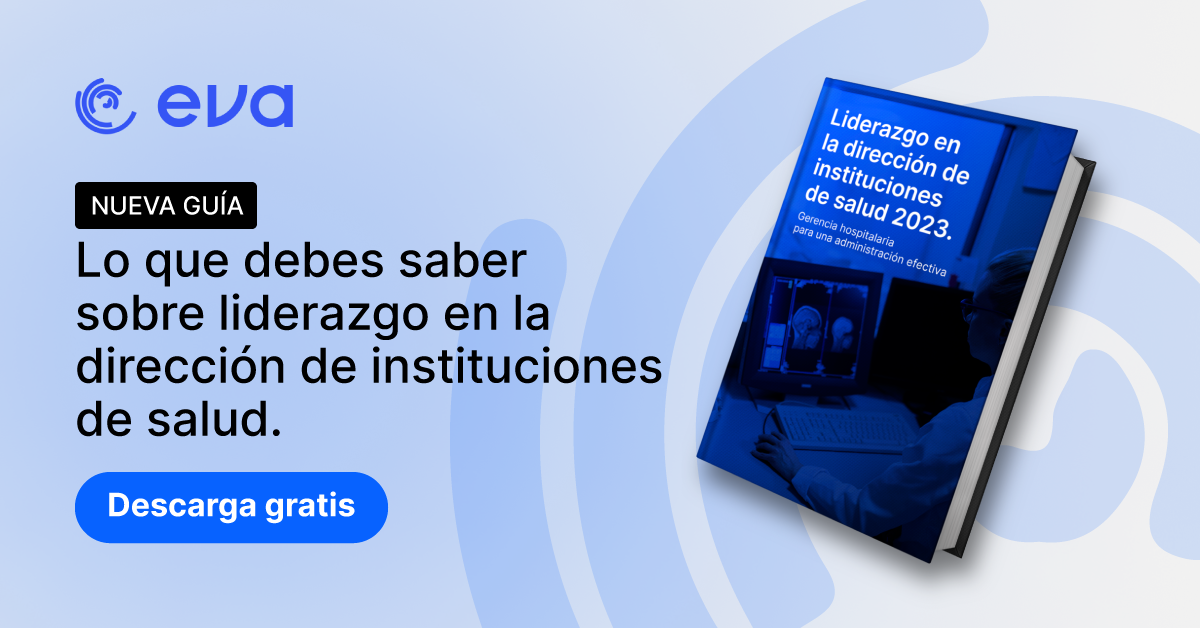
Download the Guide: Leadership in the Management of Healthcare Institutions 2023
Did you know that less than 1% of health problems require hospital care? Despite this, hospital traffic is constant and difficult to manage with full efficiency.
A special kind of leader is needed to manage the operation of a hospital of excellence.
What you will find in this guide:
- Leadership for modern hospitals: how this organization works.
- Basic expectations of a hospital: what tasks are carried out in a general hospital.
- What does it take to be a good hospital manager?
- Hospital areas under the hospital manager's responsibility: the 5 general areas you need to master.
- 3 essential pillars of a management system: admission, clinical processes and hospital discharge.
- Putting patients at the center of hospital management. Why prioritizing patient experience will make you a better leader.
- Humanizing health services: how to maintain the best level of patient care?
Download the guide Leadership in the Management of Healthcare Institutions 2023.
[popup_trigger id="4897" tag="addform"]
[/popup_trigger]
Hospitals are institutions of enormous importance and benchmarks of service quality for populations of all sizes anywhere in the world.
A hospital represents a physical and mental refuge for people who have suffered an illness or accident. In a hospital, the community places its highest expectations of efficiency. It is expected that in this institution, trust, warmth and hospitality are guaranteed at any hour of the day.
Have you ever wondered what it takes to be a leader in the healthcare sector?
At Eva, we know how important it is to prepare ourselves to improve medical services at every level. Having good leaders to manage the medical institutions that care for people is a key issue for empowering your career in the healthcare industry.
We have created a basic guide for you, covering everything you need to know in general terms, so you can take the next step toward a leadership position.
This guide can be useful both for aspiring medical institution managers and hospital directors who are already working in that capacity but are looking to correct shortcomings or improve services as well as the experience of patients and users.
We are confident it will help you take the management of your medical center to the next level.
No papers match your search.